PRIMA.INFO.FAMILY
A family space that grows with your household.
Tasks, family communication, rewards and children’s Android device management in one shared space.
Request Family →
Family space preview
Parents set the rules. Children see tasks, time and rewards.
The family dashboard shows responsibilities, shared communication and managed Android device status without mixing it with a work account.
earned through tasks45 min
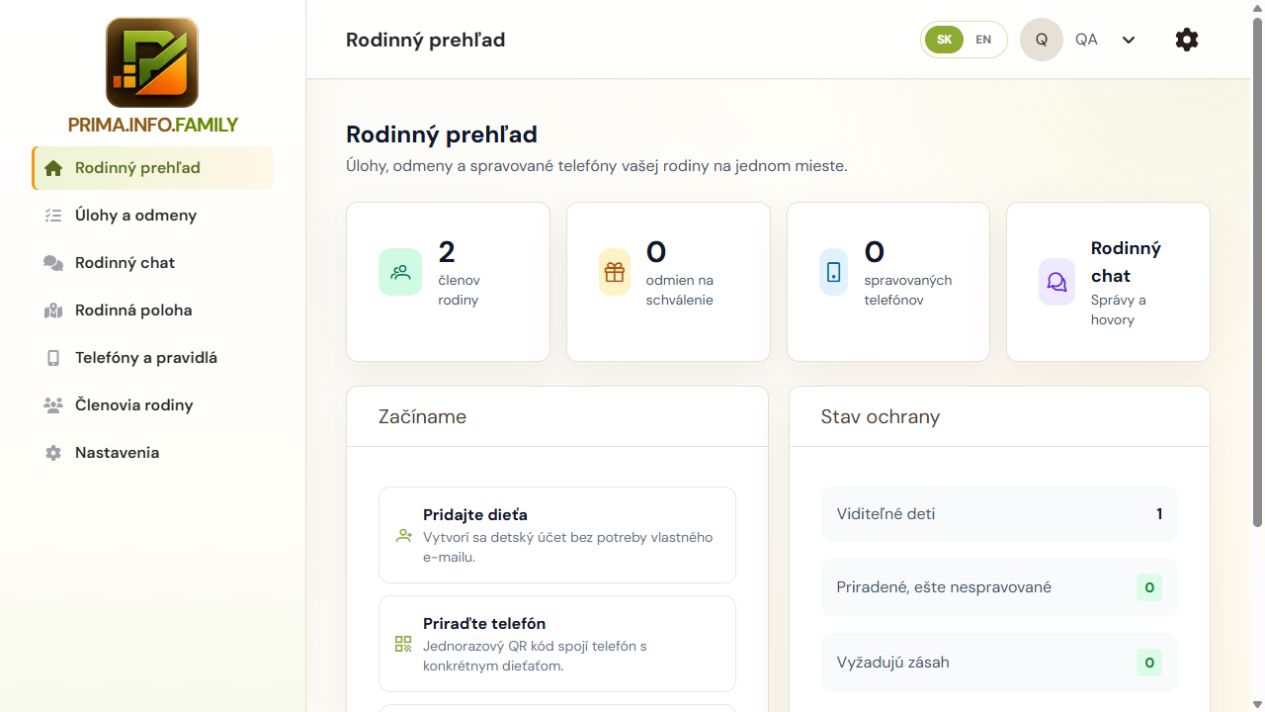
Real Family screen
The family sees tasks, rewards and protection status.
A parent overview from the PRIMA.INFO.FAMILY test environment.
PRIMA.INFO.FAMILY
What Family provides
Family overview
Members, today’s tasks, rewards and managed-phone status in one shared space.
Tasks and responsibilities
One-off and recurring tasks, deadlines, child assignment and completion review by a parent.
Rewards
After approval, a parent can grant minutes, temporarily unlock an app or issue a digital reward.
Family chat
Family communication and history without mixing it with work accounts.
Family location
Location sharing among authorized family members according to device permissions.
Members and roles
Adding a second parent and children, parental permissions and membership management.
Phones and pairing
Pairing a supported managed Android phone with a specific child and a secure device identity.
Time rules
Daily time, application limits and school, sleep or locked modes.
Apps and exceptions
Rules for supported apps, temporary unlocks and access to calls or emergency apps.
Secure synchronization
Signed policies, actual-usage reports and a restricted safe mode when offline.
The complete family-life loop in the app
1. Family
The primary parent creates the space for free and adds another parent and children.
2. Child’s phone
A supported Android phone is prepared as a managed device and securely paired with the child.
3. Agreed rules
A parent sets daily time, school, sleep, app and safety exceptions.
4. Everyday life
The family communicates, shares needed location and the child sees duties and available time.
5. Task completion
The child marks a task done; a reward is not created automatically.
6. Parent decision
A parent reviews completion and approves minutes, an app unlock or another reward.
7. Reward use
The phone receives the signed rule, applies the reward and reports actual usage.
8. New day
The overview helps adjust tasks and rules; billing changes only with active members.
PRIMA.INFO
Pricing
€20 yearly incl. VAT · first parent free
final price incl. 23% VAT